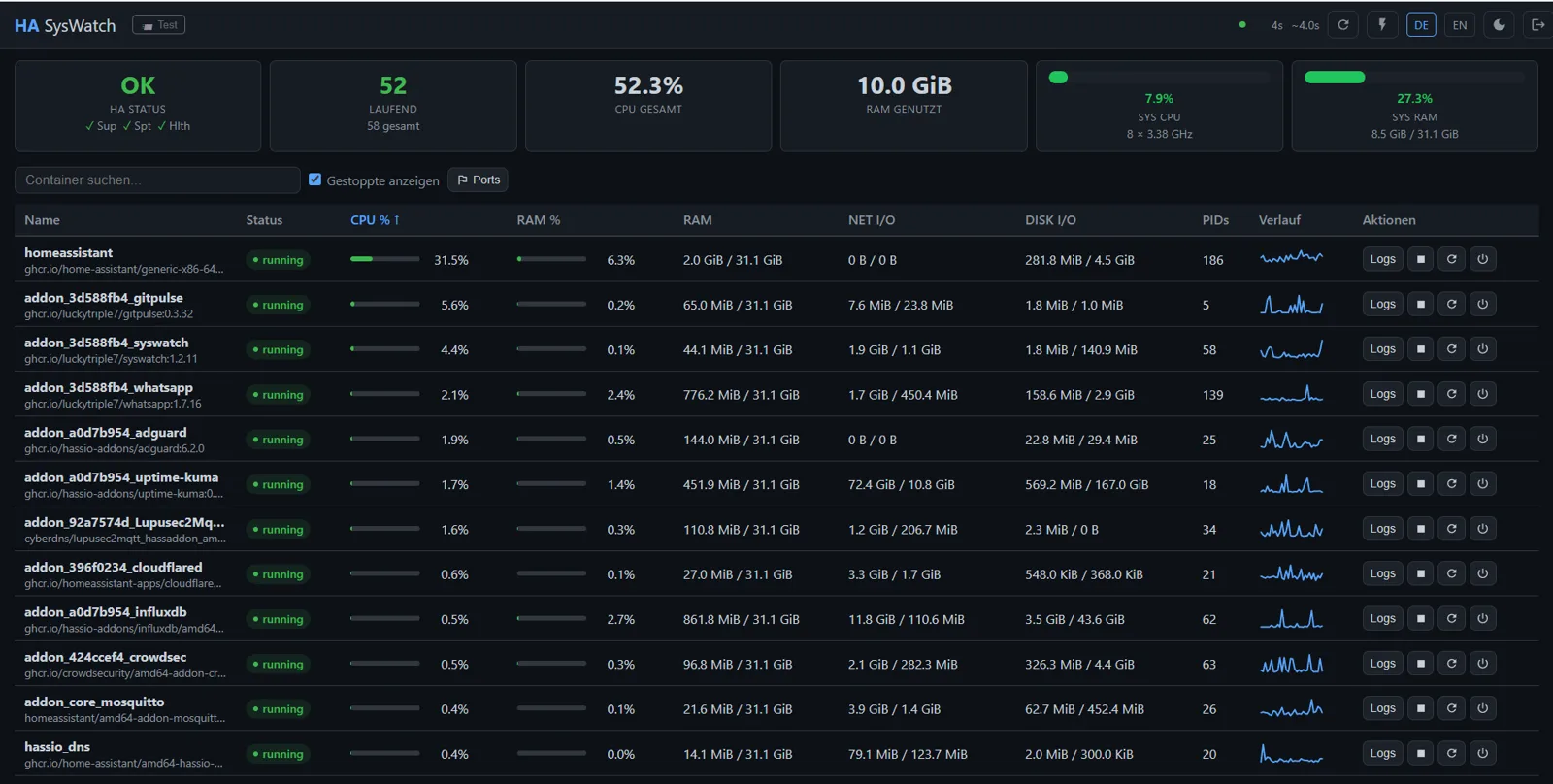
Docker container resource monitor for Home Assistant.
Real-time CPU, RAM, Network I/O, Disk I/O and PID counts for all Docker containers — including stopped HA add-ons — in a sortable, PWA-ready web interface with automatic refresh.
Features
Dashboard & Charts
- Sortable table: CPU %, RAM %, NET I/O, DISK I/O, PIDs per container — sort persists across reloads
- CPU sparkline: 30-measurement history per container in the table
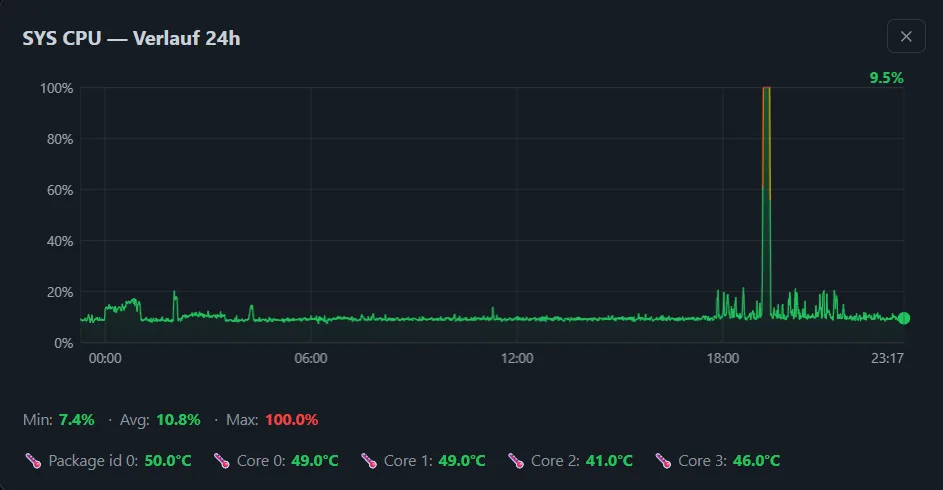
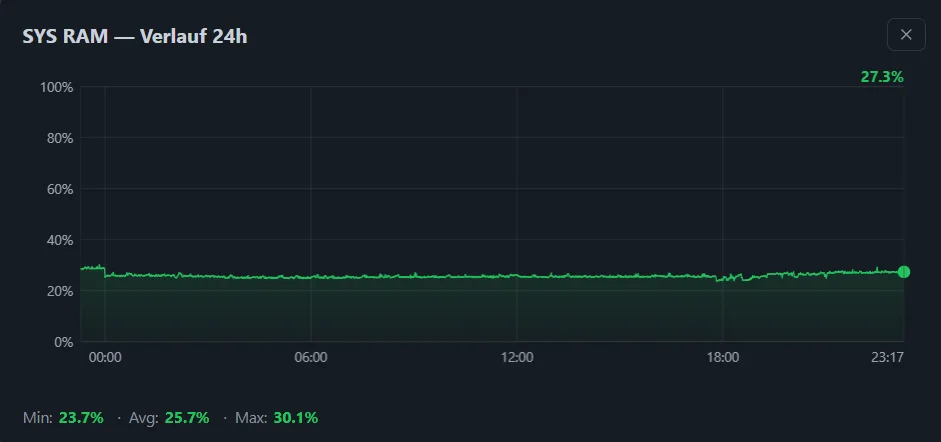
- 24h history charts: click SYS CPU or SYS RAM card to open a canvas chart with the last 24 hours — stored in SQLite, survives restarts
- CPU temperature chart: click any temperature reading to open a 24h temperature history with threshold reference lines (60 / 75 / 90°C)
- HA Status card: Supervisor / Support / Health from Supervisor API — green / yellow / red
System Info
- SYS CPU / SYS RAM cards: color-coded progress bars (green ≤70 %, yellow ≤80 %, orange ≤90 %, red >90%) — clickable for 24h chart
- CPU temperature: from
coretemp/k10temphwmon — Package + per-core temps displayed below the CPU chart - Footer versions: HA Core, Supervisor and OS version always visible
Container Management
- Container actions: Start, Stop, Restart, Kill (SIGKILL) — all with password confirmation
- Log viewer: last 200 lines with timestamps
- Port overview: all host-mapped ports, searchable and sortable — host ports are clickable links (
http://<host-ip>:<port>) - Stopped containers: shows stopped HA add-ons via Supervisor API
Telegram Notifications
- Unexpected container stop → 💥 alert with ▶ Starten inline button — start directly from Telegram
- Container restart detected → message updated to ✅, button removed
- CPU/RAM threshold alerts with Top 5 consumers (RAM: size + %)
- Configurable trigger and all-clear delays
- Startup notification with HA version, container count, host IP
- 📨 Test button in header (desktop) to verify bot setup
- Chat ID auto-detected on first
/startmessage — no manual lookup needed
General
- Auto-refresh: browser calibrates automatically to backend collection cycle
- Idle mode: 2 workers / 60s interval when no browser connected — pause button in header
- Persistent preferences: sort column/direction, show-stopped state in localStorage
- Password-protected with brute-force lockout (5 attempts / 15 min)
- DE / EN language support (auto-detected from browser)
- Light / Dark mode — persisted in localStorage
- PWA — installable on desktop and mobile
- Mobile-responsive layout
Comments (0)
No comments yet — be the first.